Essential Database Skills Students Need for a Career in Tech
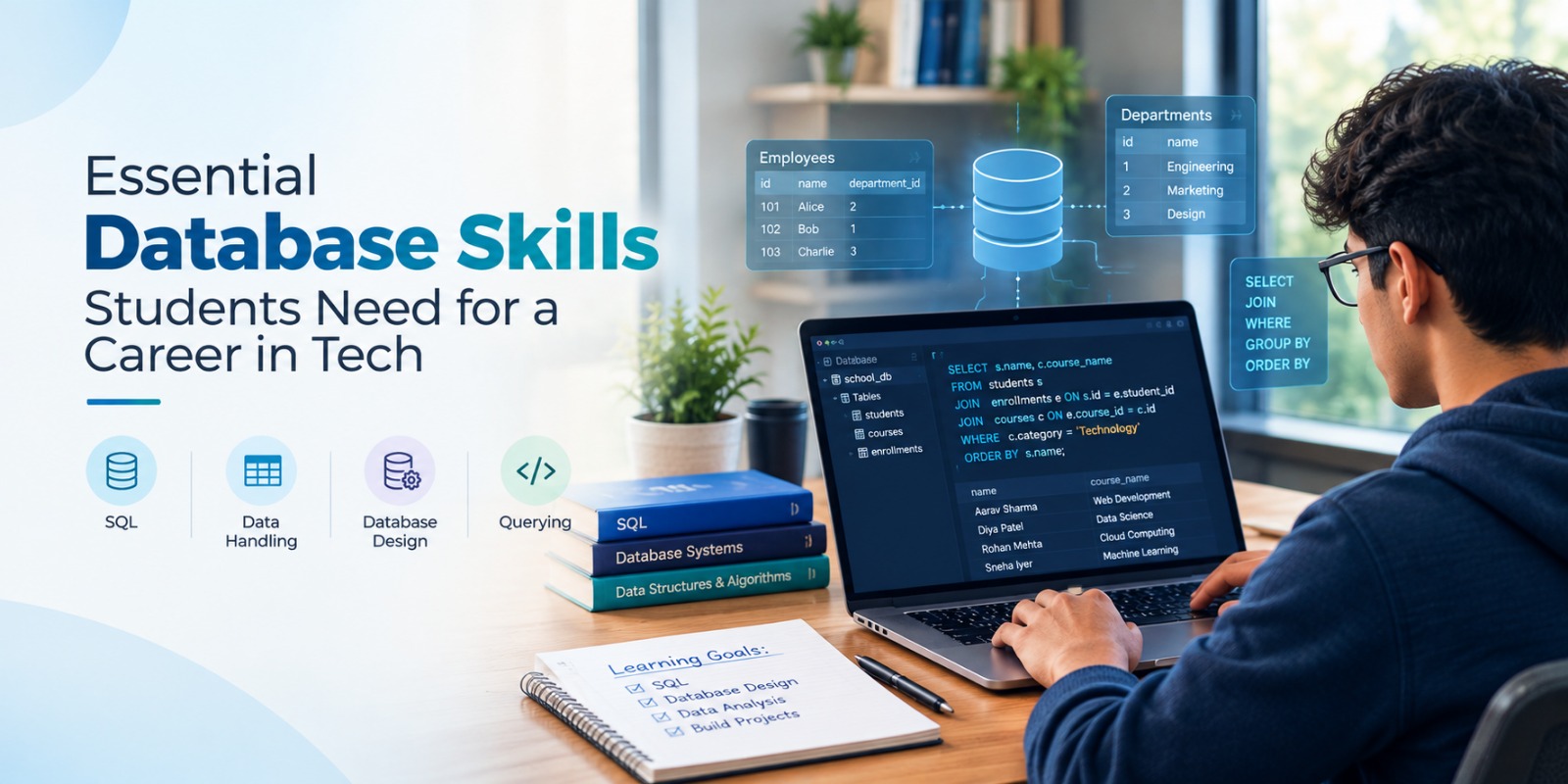
Almost every digital platform depends on data. E-commerce websites store customer and order information, healthcare systems manage patient records, educational platforms maintain student information, and businesses use databases to track sales, inventory, employees, and operations.
For students planning a career in technology, understanding databases can therefore be a valuable technical skill. SQL Server provides a platform for learning how structured data can be stored, organised, retrieved, updated, and managed efficiently.
However, learning databases is not simply about memorising SQL commands. Students need to understand database structures, relationships, queries, security, performance, and how databases connect with real applications. Developing these skills through practical exercises and projects can prepare students for opportunities across software development, database management, and data-related roles.
Understanding the Fundamentals of Databases
Before writing complex queries, students should understand what a database is and why applications need one.
A database provides an organised way to store information so that it can be accessed and managed when required. In a relational database, information is generally organised into tables consisting of rows and columns.
For example, an e-commerce application might contain separate tables for:
- Customers
- Products
- Orders
- Categories
- Payments
- Inventory
Understanding this structure helps students see how databases support the applications they use every day.
When learning SQL Server, students can practise creating databases and tables while understanding how different pieces of information are connected.
Writing and Understanding SQL Queries
Query writing is one of the fundamental database skills students need to develop.
SQL allows users to communicate with relational databases and perform different operations on stored information.
Students should gradually become comfortable with commands and concepts such as:
- SELECT
- INSERT
- UPDATE
- DELETE
- WHERE
- ORDER BY
- GROUP BY
- HAVING
Instead of only memorising syntax, students should practise these commands using realistic datasets.
Suppose a sales database contains thousands of transactions. A student could write queries to identify sales from a particular month, find products within a specific category, calculate total orders, or compare performance across locations.
Exercises like these help students understand the practical purpose behind SQL queries.
Creating Tables and Managing Data
Students should also learn how database tables are created and structured.
When creating a table, developers need to decide what information will be stored and which data type is appropriate for each field.
For example, a student database might contain fields for student ID, name, course, email address, enrolment date, and status.
Through practical SQL Server exercises, students can learn about:
- Data types
- Table creation
- Adding records
- Updating information
- Removing records
- Constraints
- Default values
These fundamentals provide the base for learning more advanced database concepts.
Understanding Primary and Foreign Keys

Relational databases become particularly useful when multiple tables need to communicate with each other.
Students should therefore understand primary keys and foreign keys.
A primary key uniquely identifies a record within a table. A foreign key helps establish a relationship between information stored in different tables.
Consider a college management system. Student details may be stored in one table while course enrolments are stored in another. A unique student ID can connect the two tables without repeatedly storing all the student's personal information.
Understanding these relationships is essential for creating structured and manageable databases.
Learning JOIN Operations
Real-world information is often spread across multiple tables.
JOIN operations allow developers and analysts to combine related information from those tables.
Students learning SQL Server should practise common JOIN types such as:
- INNER JOIN
- LEFT JOIN
- RIGHT JOIN
- FULL JOIN
Imagine an online store with separate customer and order tables. A JOIN can combine these tables to show which customers placed particular orders.
Similarly, product and sales tables could be joined to analyse which products generated the highest sales.
Learning JOINs can significantly improve a student's ability to work with relational databases.
Building Better Databases Through Normalisation
Database design is not only about creating tables. Students also need to learn how to organise information efficiently.
Normalisation is an important database concept that helps reduce unnecessary duplication and improve data organisation.
For example, repeatedly storing a customer's complete details with every order can create duplicate information. A better structure stores customer details once and connects them to orders through an identifier.
Learning basic normalisation principles helps students understand how professional databases are structured and maintained.
It can also improve their logical thinking because they need to decide how different types of information should be separated and connected.
Working with Stored Procedures
As students become more comfortable with basic SQL, they can progress towards stored procedures.
A stored procedure is a group of SQL statements saved within the database and executed when required.
Stored procedures can be useful for repetitive database operations such as:
- Retrieving customer details
- Updating records
- Creating reports
- Processing orders
- Managing application data
Understanding stored procedures gives students exposure to structured database programming and demonstrates how SQL Server can support larger applications.
Understanding Views and Functions
Students can also develop their database skills by learning about views and functions.
A view provides a way to display selected information from one or more tables without requiring users to work directly with the original database structure.
For example, a sales reporting view might display product names, customer details, transaction dates, and sales values required for reporting.
Functions can perform specific operations and return values based on defined logic.
Learning these concepts helps students understand how databases can be organised for different users and application requirements.
Developing Query Optimisation Skills
Writing a query that produces the correct answer is important, but students should eventually learn that performance also matters.
As the amount of data increases, poorly structured queries may take longer to process.
Students can gradually learn concepts such as:
- Efficient query writing
- Selecting only necessary columns
- Reducing unnecessary operations
- Understanding execution behaviour
- Using indexes appropriately
Indexes can help SQL Server locate information more efficiently in certain situations.
Beginners do not need to master database optimisation immediately, but developing awareness of performance can prepare them for more advanced database work.
Learning Database Security
Databases may contain customer information, financial records, employee data, and other important business information.
Security should therefore be part of database learning.
Students should understand basic concepts including:
- User accounts
- Authentication
- Roles
- Permissions
- Authorisation
- Controlled access
Not every user of an application should have access to every piece of information.
Learning how permissions work helps students understand that database development involves protecting information as well as storing it.
Connecting Databases with Software Applications
One of the most valuable stages of learning comes when students connect their database knowledge with application development.
Consider a registration form on a website. When someone submits the form, the application may send the information to a backend system, which then stores it in the database.
When the information is needed again, the application can retrieve it and display it to the user.
The process can be understood as:
User Interface → Backend Logic → Database → Response
SQL Server is commonly associated with Microsoft-based application development, making database knowledge particularly relevant for students exploring a Net Full Stack Developer Course or Dot Net Full Stack Developer Course.
Understanding this connection helps students see databases as part of a complete application rather than as an isolated technology.
Using Database Skills in Data Analytics
Database knowledge can also support students interested in Data Analytics.
Organisations may have thousands or millions of records stored across different database tables. Before analysts can create reports or dashboards, they often need to retrieve and organise the relevant information.
SQL skills can help students perform tasks such as:
- Filtering datasets
- Grouping records
- Calculating totals
- Comparing categories
- Combining multiple tables
- Preparing information for analysis
For example, a student analysing an e-commerce database could use SQL queries to calculate monthly sales, identify high-performing products, compare regional performance, or examine customer purchasing patterns.
Database knowledge can therefore complement analytical tools and skills.
Building Practical Database Projects
Students can strengthen their understanding by applying database concepts to complete projects.
Some useful beginner and intermediate project ideas include:
- Student Management System
- Library Management System
- Inventory Management System
- Employee Management System
- Hospital Management Database
- E-commerce Database
- Customer Management System
- Sales Reporting Database
For example, an inventory management project could contain tables for products, suppliers, purchases, sales, and stock.
Students could then create queries to identify products with low stock, calculate sales totals, compare supplier activity, or generate inventory reports.
Projects encourage students to combine database design, SQL queries, relationships, JOINs, and problem-solving rather than practising each concept separately.
Building a Portfolio with Database Projects
Practical projects can also become part of a student's technical portfolio.
Instead of simply writing SQL Server under the skills section of a resume, students can demonstrate where and how they have used it.
For each project, they can document:
- The problem they wanted to solve
- Database structure
- Tables and relationships
- Queries developed
- Important database features
- Challenges encountered
- Solutions implemented
This provides clearer evidence of practical learning and can also help students explain their work during interviews.
Career Paths for Students with Database Skills
Database knowledge can support different technology career paths.
Depending on their education, complementary skills, project experience, and employer requirements, students may explore roles such as:
- SQL Developer
- Junior Database Developer
- Database Administrator
- Backend Developer
- .NET Developer
- Data Analyst
- Business Intelligence Developer
- Application Developer
Students interested in software development can combine SQL knowledge with programming and backend technologies. Those interested in analytics can combine it with Excel, Power BI, Python, and data visualisation.
The key is to understand how database knowledge connects with the student's broader career direction.
Conclusion
Strong database skills can help students understand one of the most important components behind modern software and digital systems. Learning SQL Server can introduce students to query writing, relational database design, JOINs, stored procedures, security, performance, and application integration.
However, becoming confident with databases requires more than studying commands. Students benefit from creating databases, working with realistic datasets, solving query problems, and building projects that connect database concepts with practical applications.
TCP India focuses on helping students develop practical, career-oriented technology skills through structured learning and hands-on experience. Students interested in SQL Server can strengthen their database knowledge while also exploring related areas such as .NET Full Stack Development, Data Analytics, Python Development, Full Stack Development, and other technology programmes based on their career interests.
Students who want to understand how database knowledge works alongside Microsoft development technologies can also read How a .NET Full Stack Developer Course Builds Enterprise Skills. The article explains how database skills, backend development, APIs, and other technologies contribute to building enterprise applications.
By combining database fundamentals with practical projects and complementary development or analytics skills, students can build a stronger technical foundation for future opportunities in the technology industry.
Frequently Asked Questions
What database skills should students learn first?
Students can begin with database fundamentals, tables, data types, SQL queries, primary and foreign keys, relationships, JOINs, and basic database design before progressing towards more advanced concepts.
Is SQL Server suitable for beginners?
Yes. Students can start with basic database concepts and simple queries before progressing to stored procedures, views, functions, indexing, security, and application integration.
Why should students learn SQL Server?
SQL Server can help students understand relational databases, query writing, data management, and how databases connect with software applications. These skills can support careers in development, database management, and analytics.
Is SQL useful for Data Analytics?
Yes. SQL can help analysts retrieve, filter, combine, group, and summarise information stored in relational databases before using it for reporting or visualisation.
Can SQL Server be used with .NET development?
Yes. SQL Server can work as a database system for applications built using Microsoft development technologies, making database skills relevant for students exploring .NET development.
What projects can students build while learning database skills?
Students can develop database projects for student management, libraries, inventory, e-commerce, hospitals, employees, customer management, and sales reporting.
Leave Comments
Recent Post

Essential Data Analysis Skills Students Need for a Career in Tech
Sep 21, 2026
Essential Skills Students Need to Start a Career in Mobile App Development
Sep 15, 2026
Skills Students Can Build Through MEAN Stack Development
Sep 07, 2026
What Students Can Build with a Python Web Development Course
Aug 24, 2026
Skills Students Build Through a Full Stack Python Developer Course
Aug 18, 2026
UI/UX Design vs UI/UX Development: What Is the Difference
Aug 11, 2026

What Can You Build with a Full Stack Website Development Course
Aug 05, 2026

How Practical Training Helps You Become a Python Full Stack Developer
Jul 27, 2026