How to Build a Strong Resume as an IT Fresher
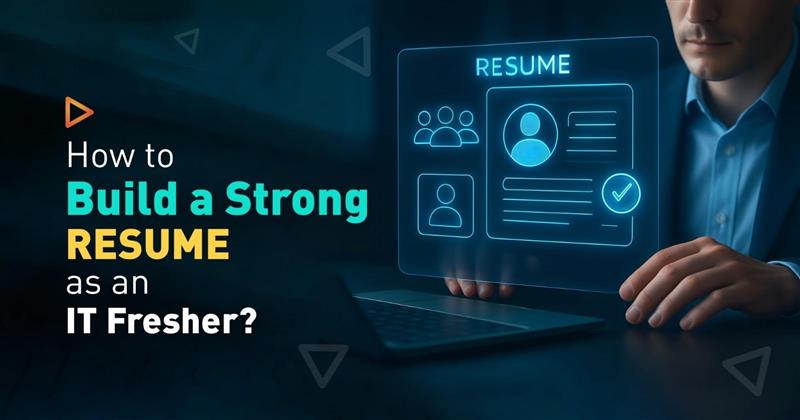
Starting a career in IT feels confusing for many freshers. When job descriptions mention experience, it often creates self-doubt. But the truth is, recruiters do not expect freshers to know everything. They mainly look for a clear and well-structured resume that shows your skills, willingness to learn, and potential.
If you’re an IT fresher preparing for roles in UI/UX design, full-stack development, Python development, mobile app development, or data analytics, this guide will help you create a resume that stands out. Whether you’re self-learning, recently graduated, or building skills through training programs, this approach focuses on showcasing what truly matters when you’re starting out.
Understand What Recruiters Look for in a Fresher's Resume
Recruiters spend only a few seconds scanning your resume. For IT freshers, they usually focus on three things:
- Relevant technical skills aligned with the job role
- Practical exposure through projects, internships, or training
- Clarity and structure in presentation
Your resume should quickly answer one question: Can this candidate be trained and trusted with real projects?
Choose the Right Resume Format
As an IT fresher, always use a simple and professional format. Avoid heavy graphics unless you are applying for a pure design role. A clean IT fresher's resume structure looks like this:
- Header with name and contact details
- Career objective
- Technical skills
- Projects or training
- Education
- Certifications and achievements
- Soft skills
Keep it within one page unless you genuinely have strong project experience.
Write a Strong Career Objective
Your career objective should be short and role-focused. Must avoid generic lines like “seeking a challenging opportunity.” Instead, mention your domain and learning intent.
Example:
IT fresher with hands-on training in UI/UX design and web technologies, looking to contribute to real-world projects and leaverage technical and design skills.
This immediately tells the recruiter what direction you are aiming for.
Highlight Skills That Match Your Career Path
This section is crucial. Only list skills you genuinely know or are currently learning. Depending on your background, your skills might include:
- Design basics like wireframing, prototyping, and understanding how users interact with designs
- Front-end and back-end development fundamentals
- Programming concepts and logical thinking
- Database basics and version control tools
- Data analytics fundamentals
Strong profiles always reflect real practice, projects, assignments, and hands-on work, not just theory. To build these practical, job-ready skills, structured training and real project exposure matter. TCP India focuses on hands-on learning, helping students gain experience they can confidently showcase on resumes and in interviews.
Showcase Projects Instead of Experience
Freshers often worry about not having work experience. Projects can easily solve this problem. For each project, mention:
- Project title
- Tools or technologies used
- Your role in the project
- What problem did the project solve?
Even academic projects, capstone work, or guided projects during training add value. Recruiters prefer a fresher who has built something over someone who has only attended lectures.
Avoid Common Fresher Resume Mistakes
Many IT freshers lose opportunities because of avoidable errors:
- Using copied resume templates without customisation
- Adding skills they do not understand
- Writing long paragraphs instead of bullet points
- Spelling and grammar mistakes
Always proofread your resume and tailor it slightly for different roles.
Conclusion
A strong resume for an IT fresher is built on clarity, honesty, and practical exposure. By focusing on relevant skills, meaningful projects, and structured training, you give recruiters a clear picture of what you can do and how quickly you can grow. A well-organised resume helps them understand your learning journey, technical foundation, and readiness for real-world work.
As an IT fresher, regularly update your resume as you gain new skills, complete more projects, and strengthen your understanding through hands-on training. When your resume reflects real learning and practical effort, it becomes a strong starting point for opportunities in UI/UX design, Full-stack development, Python development, Mobile app development and Data analytics.
FAQ
What should an IT fresher write if there is no job experience?
If you do not have job experience, focus on training, projects, internships, and practical assignments. Recruiters understand that freshers are learning, but they want to see effort, skills, and hands-on exposure.
Do recruiters really check fresher projects?
Yes. Many recruiters ask questions directly from your listed projects during interviews. Projects help them judge your understanding, problem-solving ability, and learning approach.
Should I use the same resume for every IT job role?
No. You should slightly customise your resume based on the role you are applying for. Highlighting relevant skills and projects that match the job description.
Can I apply for jobs while still completing my course or training?
Yes. Many companies hire candidates who are about to graduate. Make sure your resume clearly mentions ongoing learning and current skill level.
What is the biggest mistake IT freshers make in their resumes?
The biggest mistake is copying a resume and adding skills that you don’t know; it often leads to rejection during interviews.
Leave Comments
Recent Post
Essential Database Skills Students Need for a Career in Tech
Sep 29, 2026
Essential Data Analysis Skills Students Need for a Career in Tech
Sep 21, 2026
Essential Skills Students Need to Start a Career in Mobile App Development
Sep 15, 2026
Skills Students Can Build Through MEAN Stack Development
Sep 07, 2026
What Students Can Build with a Python Web Development Course
Aug 24, 2026
Skills Students Build Through a Full Stack Python Developer Course
Aug 18, 2026
UI/UX Design vs UI/UX Development: What Is the Difference
Aug 11, 2026
What Can You Build with a Full Stack Website Development Course
Aug 05, 2026